
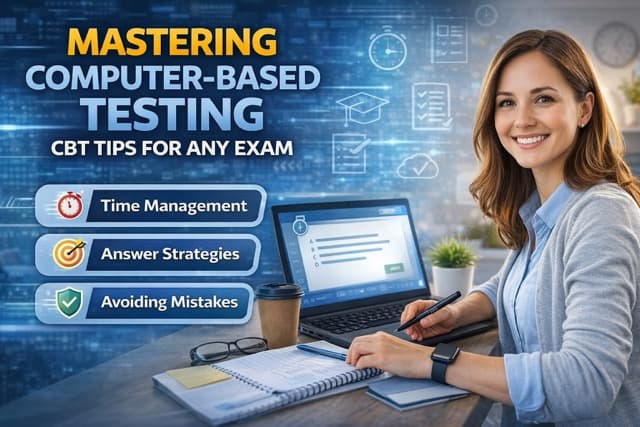
So you have got an exam coming up, and it is on a computer. Maybe it is your first time taking a computer-based test, or maybe you have done it before but still feel a little uneasy about the whole digital testing thing. Either way, here is the truth: computer based testing tips can make a genuine difference in your score - not because they change what you know, but because they change how efficiently you can show what you know.
The shift from paper to digital exams has been massive. The GRE, CompTIA certifications, PMP, NCLEX, TOEFL, GED - the list goes on. And yet, most study guides barely mention the CBT format itself. They focus entirely on content, which obviously matters, but completely ignore the fact that navigating an unfamiliar testing interface while under pressure can tank your performance. Think about it: would you take a driving test in a car you have never sat in before?
This guide covers everything you need for digital exam preparation - from understanding different CBT platforms to specific test taking strategies for computer-based tests that work regardless of which exam you are facing. Let us dive in.
What Is Computer-Based Testing and Why It Matters
At its core, computer-based testing is exactly what it sounds like - you take your exam on a computer instead of filling in bubbles on a paper answer sheet. But calling it "just a test on a computer" is kind of like calling a smartphone "just a phone." There is a lot more going on under the hood.
Modern CBT platforms include built-in calculators, highlighters, strikethrough tools, question flagging, progress trackers, and sometimes even embedded reference materials. Some exams use computer-adaptive testing, where the difficulty adjusts in real time based on your answers. Others are linear, meaning every test-taker gets the same questions in the same order. Knowing which type you are facing fundamentally changes your approach.
Here is why this matters for your score: studies on CBT performance consistently show that test-takers who are familiar with the digital interface score higher than those who are not - even when content knowledge is comparable. The interface is not supposed to be an obstacle, but if you have never used it, it becomes one. And that is a completely avoidable problem.
CBT Platforms You Need to Know: Pearson VUE, PSI, and More
Not all computer-based tests are created equal. The platform your exam runs on determines the interface, tools, and navigation options available to you. Here is a breakdown of the big players and their Pearson VUE tips and PSI exam tips you should know.
Pearson VUE
Pearson VUE is probably the most widely used CBT platform. They administer exams for CompTIA, Cisco, Microsoft, PMP, NCLEX, and dozens of other certifications. Their interface is clean and relatively intuitive, with a question panel on the left showing your progress and flagged items.
- Built-in calculator and sometimes a whiteboard tool
- Ability to flag questions and review them before submitting
- Clear countdown timer in the corner of your screen
- Free online practice test tutorial available on their website
PSI
PSI handles testing for many state licensing boards, insurance exams, real estate certifications, and some IT certifications. Their interface is slightly different from Pearson VUE - a bit more minimalist. If you are taking a real estate exam or state licensing test, you are probably dealing with PSI.
- Simpler interface with fewer on-screen tools
- Navigation buttons are typically at the bottom of the screen
- Some PSI exams include an on-screen reference sheet
- Check-in process may differ from Pearson VUE locations
Prometric
Prometric runs testing for USMLE, many state bar exams, and various financial certifications. Their platform tends to be more traditional in feel. One thing about Prometric - their centers sometimes vary more in quality than Pearson VUE locations, so reading reviews of your specific testing center beforehand is worth the five minutes.
Regardless of which platform your exam uses, the most important computer based testing tips remain the same: take the free practice tutorial, get familiar with the navigation, and know which tools are available to you before test day.
How to Prepare for a Computer-Based Test
Knowing how to prepare for computer based test formats goes beyond just studying the content. You need to prepare for the medium itself. Think of it like this: a musician does not just practice the notes - they practice performing on the actual instrument they will use.
Take the Official Practice Tutorial
This is the single most underrated piece of CBT exam strategies advice out there. Every major testing platform offers a free practice tutorial that simulates their actual interface. Pearson VUE has one. PSI has one. Prometric has one. And almost nobody takes them.
Spending 20-30 minutes with a practice tutorial eliminates the "where do I click?" panic that eats into your actual test time. You learn where the flag button is, how the calculator works, what the review screen looks like. It is free, it takes half an hour, and it could genuinely save you points on exam day.
Practice with Digital Question Banks
If you have been studying with physical flashcards or a printed study guide, you need to switch to digital practice at least a week before your exam. The reason is simple: your brain needs to get comfortable reading questions on a screen, selecting answers with a mouse, and managing time with a digital clock. These are different cognitive tasks than circling answers on paper.
Our guide on active recall and spaced repetition explains the science behind effective study techniques, but the delivery format matters too. Practice recalling answers in the same digital environment you will face on test day.
Simulate Real Testing Conditions
Here is something most people skip. Sit at a desk. Close all other tabs. Set a timer. No phone. No music. No snacks. Take a full practice exam under conditions that mirror the actual testing center as closely as possible.
Why? Because comfort under pressure is a skill, and you build it through practice. The first time you experience the stress of a ticking clock on a long exam should not be on the real test day. That might sound obvious, but the number of people who casually take practice quizzes on their couch and then freeze up at the testing center is... well, it is a lot.
Computer-Based Test Taking Strategies That Actually Work
Alright, let us get into the specific test taking strategies for computer-based tests that separate prepared test-takers from everyone else. These are not generic "study hard" tips - these are tactical approaches built specifically for the CBT format.
The Two-Pass Method
This is probably the most valuable of all CBT exam strategies. On your first pass through the exam, answer every question you know immediately and flag anything that requires more thought. Do not spend more than 60-90 seconds on any single question during this first pass.
Then, on your second pass, go back to flagged questions with your remaining time. This accomplishes two things: first, it guarantees you answer every easy question (securing those points). Second, later questions sometimes contain information that helps you answer earlier ones. Seriously. It happens more often than you would expect.
Strategic Question Flagging
Most CBT platforms include a flag or bookmark feature. Use it, but use it intelligently. Flag questions where:
- You are torn between two answer choices
- The question requires a calculation you want to double-check
- You picked an answer but feel uncertain about it
- The question is long and you want to re-read it carefully
Do not flag every question - that defeats the purpose. If you have no idea what the answer is and a second look will not help, just pick your best guess and move on. Flag the ones where additional time could actually change your answer.
Time Management on Digital Exams
That countdown timer in the corner of your screen can be your best friend or your worst enemy. Here is how to make it work for you:
- Calculate your per-question time budget before starting (total time divided by number of questions)
- Check the timer at 25%, 50%, and 75% completion
- If you are running ahead of schedule, slow down and be more careful
- If behind, start making quicker decisions and flag more questions for later
- Reserve 10-15 minutes at the end for reviewing flagged items
One thing I have seen trip people up: the anxiety of watching the clock tick down actually makes them slower, not faster. If the timer stresses you out, minimize it or cover that corner of the screen and only check at your planned intervals.
Need Help Preparing for Your CBT Exam?
Our expert tutors specialize in computer-based testing preparation. Get personalized coaching on content and test-taking strategies.
Computer-Based Testing vs Paper and Pencil: Key Differences
If you grew up taking paper tests (and honestly, who did not?), switching to computer-based testing can feel weird at first. Understanding the key differences helps you adapt faster. The question of computer based testing vs paper pencil comes up constantly, so let us break it down.
Format Comparison
- Reading experience: On paper, you can see the whole page at once. On screen, you might need to scroll for longer questions. Adjust your reading approach accordingly - read the question first, then scroll to the answer choices.
- Answer changes: On paper, erasing and changing answers leaves a mark. On CBT, you can click a different option cleanly. This actually reduces second-guessing anxiety.
- Note-taking: Paper tests let you write in margins and underline in the test booklet. CBTs give you scratch paper and digital highlighting tools instead. Different, but equally functional.
- Pacing: On paper, you can flip ahead and see all questions. CBTs usually show one question at a time, which can make pacing feel less intuitive at first.
- Results: Paper tests take days or weeks for scoring. Most CBTs show your results immediately (or within minutes) after you finish. That instant feedback is honestly kind of nerve-wracking but also kind of amazing.
The bottom line? Neither format is inherently harder. If you have taken the time to familiarize yourself with the CBT interface, you will probably find it more convenient than paper. The digital tools alone - flagging, highlighting, calculator - give you capabilities that paper tests simply cannot match.
Common CBT Mistakes and How to Avoid Them
After years of working with students preparing for computer-based exams, we see the same mistakes come up again and again. Avoiding these is honestly half the battle when it comes to computer based testing tips.
Mistake 1: Skipping the Practice Tutorial
I know we already mentioned this. I am mentioning it again because it is that important. Roughly 40% of first-time CBT test-takers skip the tutorial, and a significant chunk of them report feeling flustered by the interface during the actual exam. Twenty minutes of preparation. That is all it takes.
Mistake 2: Not Managing Screen Fatigue
Staring at a computer screen for 2-4 hours straight is exhausting. Your eyes dry out. Your focus drifts. By the last quarter of the exam, you are reading questions twice just to process them. If your exam offers scheduled breaks, take them - even if you feel fine. You might not feel tired yet, but your cognitive performance is already declining.
If you deal with test anxiety, the enclosed testing environment can amplify that feeling. Using breaks strategically to reset is important for both your eyes and your mental state.
Mistake 3: Changing Answers Without Good Reason
The ease of clicking a different answer on a CBT leads many people to change answers during their review pass. Research consistently shows that your first instinct is usually correct unless you have a specific, concrete reason to change it. "This answer just feels wrong now" is not a good reason. "Oh wait, I forgot that the question said EXCEPT" - that is a good reason.
Mistake 4: Ignoring the Clock Until It Is Too Late
Some people get so absorbed in individual questions that they do not check the time until they are 60% through the exam with only 30% of the time remaining. Build time checkpoints into your strategy. Period.
Exam-Specific CBT Tips for Popular Certifications
While the general computer based testing tips above apply to any CBT exam, certain tests have unique quirks worth knowing about. Here is a quick rundown for some of the most popular computer-based exams.
CompTIA Exams (A+, Security+, Network+)
CompTIA exams on Pearson VUE include performance-based questions (PBQs) that simulate real-world scenarios. These take significantly longer than multiple choice questions. A common strategy: skip PBQs on your first pass and come back to them after completing the multiple choice section. This ensures you do not burn all your time on two or three simulation questions at the start. Check out our CompTIA A+ study plan or Security+ study guide for detailed content preparation.
PMP Exam
The PMP exam on Pearson VUE includes 180 questions across 230 minutes with two 10-minute breaks built in. Here is the thing about PMP - if you do not take those breaks, you do not get extra time. So take them. Stand up, stretch, splash some water on your face. The PMP is a marathon, not a sprint. Our PMP exam study plan has more on content preparation specifically.
GRE and GMAT
Both the GRE and GMAT use computer-adaptive formats. The GRE adapts between sections (your performance on the first Verbal or Quant section determines the difficulty of the second). The GMAT adapts question by question. This means early questions carry more weight - spend extra time getting those right. For more on GRE preparation strategies or our GRE vs GMAT comparison, check out our detailed guides.
TOEFL and IELTS Computer-Based
The IELTS computer based test tips are particularly relevant here because the IELTS recently expanded its computer-based option. Both TOEFL and computer-based IELTS require typing essays - not handwriting them. If you are not a fast typist, practice. Your typing speed directly impacts your writing score because more time typing means less time thinking. You can find specific strategies in our TOEFL vs IELTS comparison guide.
GED Computer-Based Test
The GED computer based testing format includes drag-and-drop questions, fill-in-the-blank, and drop-down menus in addition to standard multiple choice. These interactive question types can throw people off if they have only practiced with traditional formats. Our GED test preparation guide covers both the content and the unique format challenges.
Proctored Online Exams
More exams now offer at-home proctored options through platforms like OnVUE or RPNow. These come with their own set of challenges - webcam monitoring, system requirements, room scans, and strict rules about your testing environment. If you are considering a proctored exam, read our guide on passing proctored exams for specific tips on the at-home testing experience.
Frequently Asked Questions
What is computer-based testing (CBT)?
Computer-based testing is a method of administering exams through a computer or digital device rather than traditional paper and pencil. You answer questions on screen, often at a dedicated testing center with proctored workstations. Major platforms include Pearson VUE, PSI, and Prometric. Many professional certifications, academic exams, and licensing tests now use CBT exclusively - including CompTIA, PMP, NCLEX, GRE, and dozens more.
How does a computer-based test work?
When you arrive at a testing center, you check in with valid ID, store your belongings in a locker, and are assigned a computer workstation. The exam software loads your test, and you navigate through questions using a mouse and keyboard. Most CBTs let you flag questions for review, skip and return to items, and see a progress tracker. Some exams are adaptive - meaning the difficulty adjusts based on your answers. You typically see your unofficial results on screen immediately after finishing.
Are computer-based tests harder than paper tests?
The content difficulty is the same, but the experience feels different. Some people find CBTs easier because of built-in tools like calculators, highlighters, and the ability to flag questions. Others struggle with reading from a screen for extended periods or miss the ability to write notes in margins. Neither format is inherently harder - it comes down to your comfort level with the interface. Taking practice tests in the CBT format beforehand eliminates most of the adjustment issues.
Can I go back and change answers on a computer-based test?
It depends on the specific exam. Most linear CBTs allow you to navigate freely between questions, flag items for review, and change answers before submitting. However, computer-adaptive tests like the GRE and some sections of other exams may not let you go back once you move forward. Always check your specific exam's navigation rules before test day - this is one of the most important things to know going in.
What should I bring to a computer-based testing center?
Bring two forms of valid, unexpired identification - typically a government-issued photo ID (driver's license or passport) plus a secondary ID with your name and signature. Your name must match the registration exactly. Most centers provide scratch paper or an erasable notepad, a basic calculator if allowed, and earplugs or noise-canceling headphones. You cannot bring personal items into the testing room - no phones, watches, food, drinks, or study materials.
How do I practice for a computer-based test?
Start with the official practice tests from your exam provider - Pearson VUE, PSI, and Prometric all offer free tutorials that simulate their actual testing interfaces. These familiarize you with navigation, question types, and built-in tools. Beyond that, use online practice exams that mimic the CBT format rather than paper-based practice books. Time yourself to replicate real testing conditions. The goal is making the digital format feel second nature so you can focus entirely on content.
What happens if the computer crashes during my exam?
Testing centers are prepared for technical issues. Your progress is saved automatically and continuously throughout the exam. If a computer freezes or crashes, a proctor will restart the system and your test should resume from where you left off with your time adjusted accordingly. In rare cases where the issue cannot be resolved, you will typically be offered a free reschedule. Do not panic if technology glitches occur - it happens, and there are procedures in place.
Can I take notes during a computer-based test?
Yes, but not on your own paper. Testing centers provide either scratch paper, an erasable notepad, or a small whiteboard for you to use during the exam. Some digital exams also include a built-in notepad feature in the software. A smart strategy is to do a brain dump as soon as your exam starts - write down key formulas, mnemonics, or facts from memory before you begin answering questions. This frees up mental space and gives you a quick reference sheet.
How do I manage my time on a computer-based test?
Most CBT platforms display a countdown timer on screen. Use it strategically: divide your total time by the number of questions to get your per-question budget. For a 90-question exam with 90 minutes, that is one minute per question. Flag difficult questions and move on rather than burning time. Plan to finish with 10-15 minutes remaining for review. Some test-takers find it helpful to glance at the timer every 20-25 questions to check their pace without obsessing over it.
Is it better to take a computer-based test or a paper-based test?
For most people, CBTs offer significant advantages: instant scoring, built-in tools, flexible scheduling, and the ability to flag and review questions. Paper tests feel more familiar to some, but you lose these conveniences. If you have the choice, consider how comfortable you are with screens and digital navigation. For exam-takers who are new to CBTs, spending 30 minutes with a practice tutorial can eliminate the comfort gap entirely. Most test-takers prefer CBT once they have experienced it.
What is a computer-adaptive test and how is it different?
A computer-adaptive test (CAT) adjusts its difficulty based on your performance. Get a question right, and the next one gets harder. Get it wrong, and the next one gets easier. The GRE, GMAT, and NCLEX use this format. Unlike linear CBTs, you usually cannot go back to previous questions in adaptive tests. The upside is that adaptive tests are often shorter since they zero in on your ability level faster. The key strategy is to spend extra time on early questions since they carry more weight in determining your score.
How do I deal with screen fatigue during a long CBT exam?
Screen fatigue is real, especially on 3-4 hour exams. Reduce eye strain by following the 20-20-20 rule during any scheduled breaks: look at something 20 feet away for 20 seconds every 20 minutes. Adjust your screen brightness and contrast if the software allows it. Blink deliberately - people blink less when staring at screens. During breaks, close your eyes and rest them. Some test-takers find that lightly pressing warm palms over closed eyes for 30 seconds helps reset visual fatigue.